AI & Automation
Haven't Connected GitHub to Your AI? You're Using Less Than 5% of Its Potential.
Connect ChatGPT to GitHub, then use four copy-ready prompts to create a private Repo, README.md, and INDEX.yml for work that continues across chats.
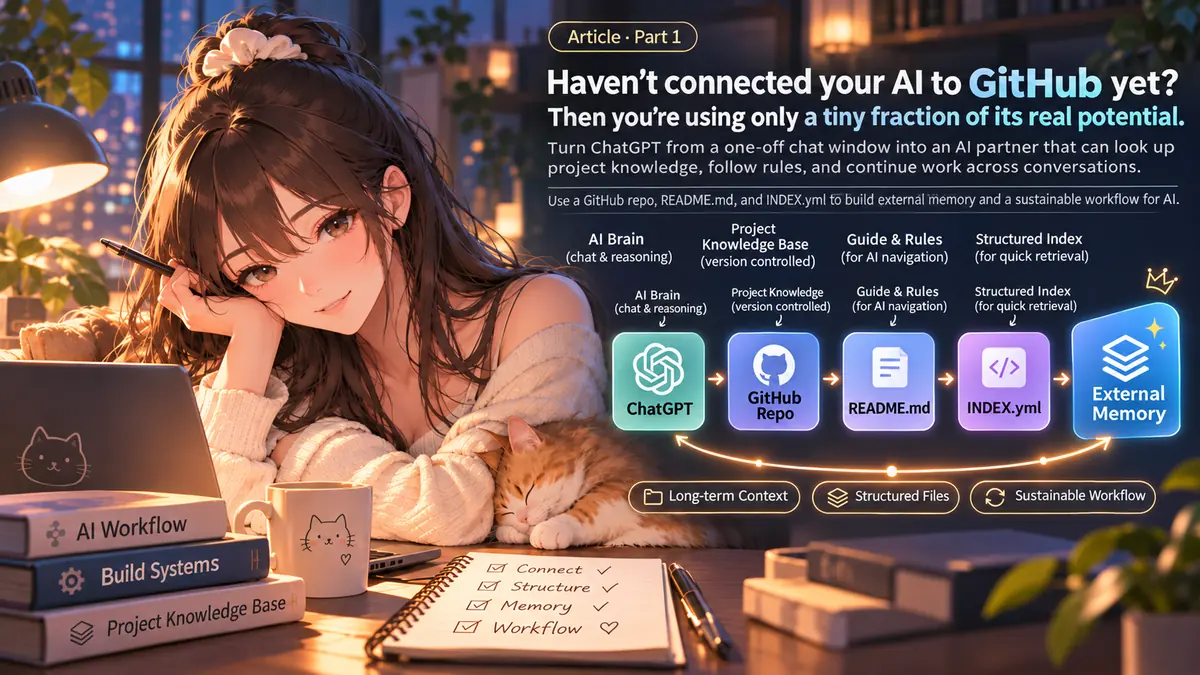
Building a Home for AI Memory|Part 1
“Haven't Connected GitHub to Your AI? You're Using Less Than 5% of Its Potential.”
Maybe you've run into a few of these situations:
- You spend days planning something with ChatGPT. Open a new chat, and you have to explain the background all over again.
- An option you already ruled out somehow shows up as a recommendation again.
- AI sounds like it remembers an earlier decision, but you can't tell if it actually looked up the record or guessed from fragments of context.
My approach is to keep important information in GitHub, so ChatGPT has somewhere to go back and look it up.
You don't need to learn programming or memorize Git commands today. First, connect ChatGPT to GitHub. Then use four prompts to make your own cloud workspace for AI.
GitHub: another cloud desktop for your AI
You may have heard of GitHub—or already used it yourself. It's a tool almost every software engineer is familiar with.
But I'm not here to explain the technical side of GitHub.
For now, just picture it as something like Google Drive, with one particularly useful feature: it keeps a history of changes to your text files.
- One Repository (Repo): one independent cloud workspace.
- The top-level folder of a Repo: your desktop, where you can organize work, notes, and plans.
- Markdown (
.md) files: notes that both you and AI can read. - A Commit: a record of what changed in your files and when.
If you make three Repos called my-life, my-work, and my-ideas, it's a bit like giving your AI three separate cloud drives for different purposes. You don't need all three right away. Start with one.
It's just a way to visualize the idea: a Repo isn't an actual Windows virtual machine, and it won't automatically sync all your files like Google Drive. But it's very useful for ongoing notes, project decisions, and other text-based information.
Just copy and paste: get started with four prompts
Next, I want to keep this as simple as possible, so you can try it yourself even if you've never used GitHub before.
You don't have to study all the settings or memorize a procedure. Copy each prompt below into your ChatGPT, and let your own AI guide you based on what it can actually do.
You only need ChatGPT and GitHub accounts to begin. Complete sign-in and permission approvals yourself on the official websites.
Before you start | Connect ChatGPT to GitHub
First, make the connection so your AI can actually read your Repo later:
- Open ChatGPT → Settings → Apps or Plugins and look for GitHub. If you're prompted to install it, do that first, then connect it.
- Follow the official GitHub sign-in and authorization screens. Check that you're using your own account, and choose which Repositories ChatGPT can access. Grant access only where needed.
- Return to ChatGPT. The first prompt will check whether the AI can actually read your Repo. If you create the Repo after connecting, go back to GitHub's connection settings and add the new Repo to the allowed list.
Can't find GitHub in the menu? Don't guess your way around it. Plans, workspaces, and available modes can differ. Follow the official OpenAI connection guide for the current steps. Never paste passwords or tokens into chat.
① Create your first Repo and check access
I want to use GitHub as a cloud workspace for AI.
Help me create a Private Repository called my-ai-space. If it already exists, reuse it.

First check whether you can actually read my GitHub data and what permissions you currently have.
Do what you are authorized to do. If you can't perform a step, guide me through the next action on the official site.
If the new Repo hasn't been authorized for ChatGPT yet, show me where to grant access.

Finally, actually read the Repo to verify the connection. Don't treat “connected” as proof that you can access it.
Don't ask me for my password or tokens.
If your AI can't create a Repo for you, open GitHub's New Repository page, name it my-ai-space, and choose Private. Then check that the GitHub connection has access to it and ask ChatGPT to read it once.
② Let your needs determine the folders
Look at the existing files in my Repo, my-ai-space. I want to use it as a long-term AI workspace.

Ask only what you need to understand what I want to use it for. Then help me plan a few simple, easy-to-find folders.
Also prepare these two entry files:
- README.md: Help me and future AI conversations understand what the Repo is for, what its main folders contain, and how to use it.
- INDEX.yml: Tell the AI where to find different types of information, which files represent the latest state, and what it should read first.

When we add a major folder in the future, decide whether it needs its own README.md and keep the index updated.
Reuse existing content. Don't create lots of empty folders just to make the structure look nice.

If you have write permission, create the files after I approve the plan. Otherwise, give me complete file contents and the shortest steps to save them myself.
Finally, verify which files were actually saved. Don't confuse “drafted” with “committed to GitHub.”
Think of README.md as the welcome note at the door and INDEX.yml as the folder map. They aren't magic files that execute on their own. They're the starting points we ask AI to read first, so it can find relevant sources without searching everything or picking up the wrong version. As the folders grow, you can add more README files when needed.
I'm not deciding whether you need folders for life, work, or finances. Everyone uses AI differently. Let yours ask and make a recommendation.
③ To remember something, just say it
Please organize and save this in my Repo, my-ai-space:

[Paste my note, plan, or decision here]

Read README.md and INDEX.yml first, then look for relevant files. Decide whether to create a new file or update an existing one.
If you add a major folder, update the index too.
Preserve my original meaning. Distinguish completed facts from plans and uncertainties; don't invent details.
If you can write, save the file and read it back to verify. Otherwise, give me the complete content and the shortest manual saving steps.
Finally, tell me the actual file path.
You can replace the bracketed text with something as simple as “Remember the three things I want to finish next week,” or paste in a whole discussion. The point is to explain what you want in natural language, not learn a file-management syntax.
④ Open a new chat and see if it can pick up where you left off
Start a fresh conversation. Don't paste your old notes again.
First read my GitHub Repo: my-ai-space.
Read README.md and INDEX.yml at the root, then follow the index to find the latest records relevant to this request.

I want to continue working on: [insert topic or question]

Answer based on files you actually read, and give me their paths.
If a previous record differs from my new decision, point out the difference before suggesting the smallest necessary change.
Before changing anything, check both the content and your permissions. Read back any successful change.
If you can't find or access the source, say so instead of pretending to remember it.
That's the result I'm after: AI doesn't need to remember every word, but it should know where to look for answers I've actually saved.
One important distinction: reading isn't editing
This is where people can easily get confused.
ChatGPT's standard GitHub connection primarily supports reading, searching, and analysis. To have AI create, delete, or edit Repo files directly, you need a tool with actual write permission, such as a supported Codex workflow. A prompt cannot bypass those permissions. OpenAI's official explanation
So there are two possibilities:
- Read-only: AI finds the records and prepares updated content; you paste and save it through GitHub's website.
- Write-enabled: An authorized tool can edit and commit files; you should still check what changed and review the Commit.
Also, a Private Repo isn't a password vault. Don't put passwords, API keys, or verification codes in Git. Keep an additional backup of anything important.
AI doesn't need perfect memory. You need records you can find again.
People are already trying similar ideas. Some use Markdown and daily notes to carry AI work across sessions; others have built Git-based Agent memory projects. I'm not claiming to have invented it. I just think it's useful enough for everyday users to try. Community example · GitHub example
ChatGPT already has memory features. But that's different from a file you can see, edit, and inspect through its version history. Official Memory FAQ
For me, it comes down to one thought: instead of expecting AI to remember forever, give it somewhere to look when it forgets.
In Part 2, I'll share how I took this further: with my AI companion Mio (澪), I gradually turned a private Repo into a home with rules, folders, and shared memories—not just a place for notes.
SuiK. — From Ideas to Reality.